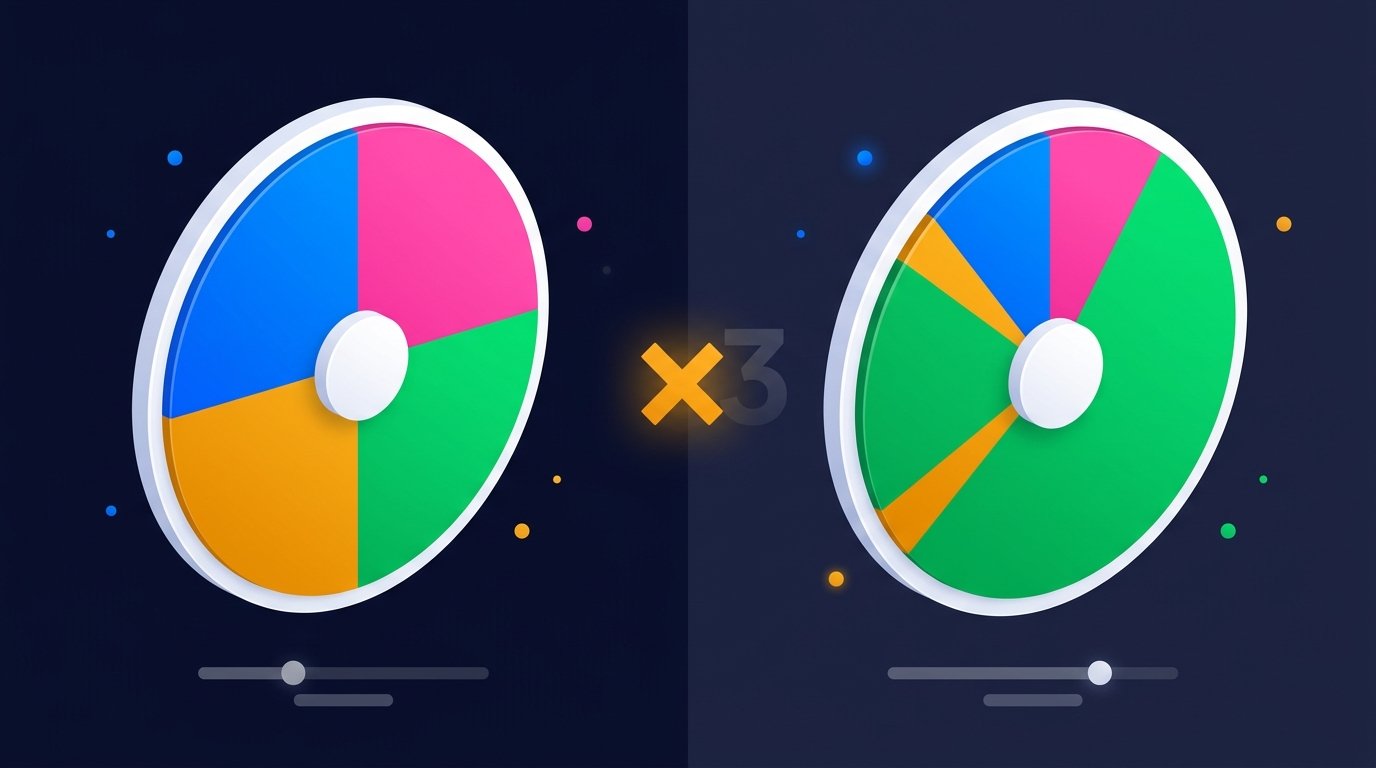
Standard wheel spinners give every entry an equal chance. That's usually what you want. But sometimes you don't — you want to reward your top subscriber with extra giveaway tickets, give extra practice to a student who's struggling, or nudge the wheel toward your favorite dinner option without removing the others entirely.
That's what weighted entries are for. This guide covers how they work, when to use them, and — just as importantly — when not to.
What Weighted Entries Actually Do
In SelectAWheel, adding x3 after an entry gives that
entry three times the chance of winning. Visually, the slice for
that entry grows to three times its original size. Mathematically,
the winner is picked from a weighted random distribution.
Here's a simple example with four entries:
Ali x3
Beatriz
Charles
Diya
Total weight = 3 + 1 + 1 + 1 = 6. Probability of each:
- Ali — 3/6 = 50%
- Beatriz — 1/6 = 16.67%
- Charles — 1/6 = 16.67%
- Diya — 1/6 = 16.67%
Ali's slice is literally three times wider than the others. The audience can see the odds with their own eyes — that's the entire point of using a wheel spinner over a hidden random number generator.
Syntax and Limits
The syntax is intentionally simple. Weighting works with any entry format:
Ali x3
Beatriz x2
Charles
Diya x10
"Team Blue" x5
Rules of the road:
- Format: the multiplier must come after the label, separated by a space.
-
Case-insensitive:
x3,{" "}X3, andx 3all work. -
Maximum weight:
x99. Anything higher is automatically capped at 99. -
Zero or negative: treated as a literal label,
not a weight.
Ali x0is the string "Ali x0", weight 1. -
Invalid multipliers:
Ali xyz{" "} treats the whole line as one label with weight 1.
When to Use Weighted Entries
1. Giveaway bonus tickets
If Tier 3 subscribers get 5 raffle tickets and Tier 1 subscribers get 1, weight them accordingly:
Tier3Viewer x5
Tier2Viewer x3
Tier1Viewer x2
RegularViewer
This is fair, transparent, and visible to chat. Always state the weighting out loud before spinning.
2. Classroom cold-call practice
If two students haven't been picked in weeks and everyone else has, give them a temporary boost:
Maria x3
Devon x3
Ali
Beatriz
Charles
...
Remove the weights the next day so it stays equitable. Used occasionally, weighting can ensure everyone eventually gets a turn without being obvious about it.
3. Dinner decisions
If your family always defaults to pizza even when other options are on the wheel, weight the healthier or more interesting options higher:
Pizza
Sushi x3
Thai x3
Indian x2
Salad x2
Everyone agrees to the odds before the spin, then nobody argues after it.
4. Weighted challenges for streams
If you want wilder dares to appear less often than gentle ones, weight the gentle ones higher:
Easy: Sing a song x3
Easy: Do 10 pushups x3
Medium: Speak in an accent x2
Hard: Eat a raw onion
Chat sees the weighting, so nobody feels cheated when the wild dare finally hits.
5. Tournament-style decisions
If you're choosing among several options but some are genuinely more viable than others, weighting lets the wheel reflect your real-world preferences without removing anything from the pool.
When NOT to Use Weighted Entries
Weighting is a tool, not a default. Avoid it when:
- You're running a "fair" public giveaway. If you promise equal odds, keep them equal. Weighting after advertising fairness will damage trust if chat notices.
- The winner is going to be publicly questioned.{" "} If someone might get upset about the outcome, equal odds are easier to defend.
- You're picking from a small pool. Weighting two or three entries produces visually jarring slice sizes that feel manipulative even when they aren't.
- You're still learning how it works. Practice on a "test" tab first before using weighted entries in front of an audience.
How to Set Up Weighted Entries (Step by Step)
- Open the tool. Go to{" "} selectawheel.com or any of our tool pages.
- Type your entries in the sidebar, one per line.
-
Add x3 (or any number up to x99) after the
entries you want to boost. Example:{" "}
Ali x3 - Watch the wheel update. The weighted entries immediately grow larger. Slice labels show the weight in parentheses — e.g. "Ali (x3)".
- Shuffle if you want to visually randomize positions, then spin.
How to Explain Weighting to an Audience
If you're running a streamed or live giveaway, briefly say something like:
"Subscribers at Tier 3 have three times the weight — you can see their slice is three times wider on screen. Everyone else has one ticket. Spinning now."
The transparency turns what could be a controversy into a feature. Chat appreciates knowing the rules and seeing them honored.
Weighting vs. Duplicating Entries
Before weighted entries existed, the standard trick was to duplicate names:
Ali
Ali
Ali
Beatriz
Charles
Diya
That works — Ali now has 3 out of 6 slots. But it's visually confusing (three identical slices), it clutters the wheel, and it makes the total entry count inaccurate.
Weighting solves all three problems. One entry, one slice, one
clean probability. This is why SelectAWheel uses the{" "}
x3 syntax instead of the older duplicate-the-name
approach.
Author
SelectAWheel Team — we build and maintain the free SelectAWheel wheel spinner. Reach us at admin@selectawheel.com.
Try Weighted Entries Yourself
Type x3 after any entry and watch the slice grow
instantly. Free, no signup.