
Live giveaways are among the most potent tools for growing your Twitch, YouTube Gaming, or Kick channel. They reward loyal viewers, attract new followers, and celebrate milestone sub goals. However, poorly managed giveaways can quickly backfire into chat controversy, accusations of mod favoritism, or bot spam.
To maintain community trust, professional streamers rely on visual, provably fair tools like our dedicated Giveaway Wheel. In this guide, we walk through OBS setup, subscriber bonus entry weighting, anti-fraud rules, and legal compliance for creators.
Why Visual Spin Wheels Beat Chat Bots
Many streaming chatbots include simple
!giveaway commands that print a winner's name in chat
text. While functional, text-based bots miss the entire
entertainment value of a live drawing. A visual wheel provides:
- High Dramatic Tension: Viewers actively watch the wheel spin, slow down, and tick through slice borders, creating intense excitement on stream.
- Auditable Transparency: Chat can clearly see that their handle is loaded on the wheel and that slice proportions accurately reflect entry rules.
- Clip-Worthy Moments: Near-miss landings and clutch spins generate fantastic clips for TikTok, YouTube Shorts, and Instagram Reels.
Step-by-Step OBS & Streamlabs Integration
Adding SelectAWheel to your broadcast layout takes less than 60 seconds:
-
Option A — Window or Screen Capture (Recommended):
Open SelectAWheel in Google Chrome or Microsoft Edge. In OBS
Studio, add a Window Capture source targeting your
browser. Crop to the canvas area using
Alt + Drag. -
Option B — Browser Source: Add a new
Browser Source in OBS pointing to
https://selectawheel.com/pages/giveaway.html. Set width to1280and height to720. Use OBS "Interact" mode to paste your names and spin live on stream. - Audio Routing: Enable audio monitoring for the browser source so your stream hears the realistic mechanical clicking sound effects as the wheel spins.
Rewarding Subscribers with Weighted Entries
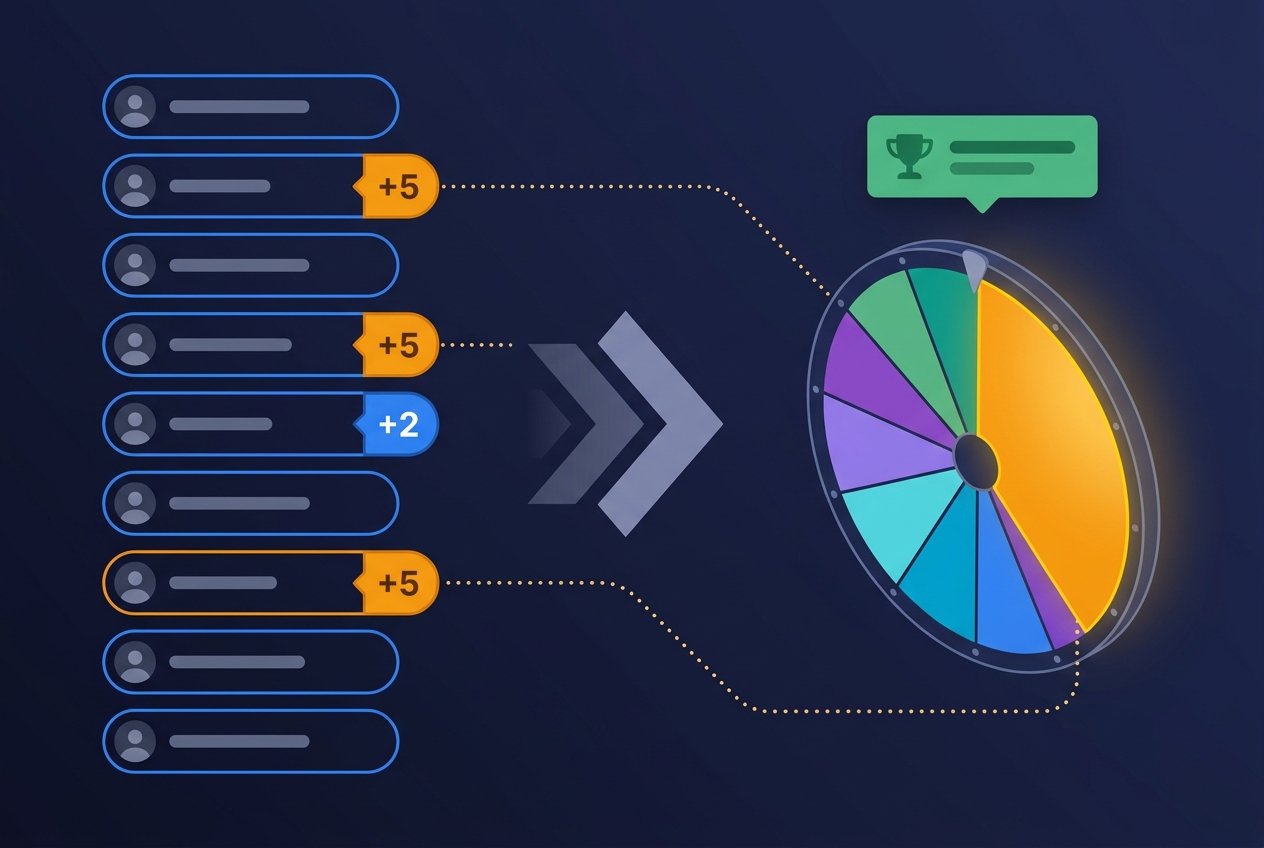
Many streamers offer bonus raffle tickets to Sub Tier 1, 2, and 3 members or channel VIPs. SelectAWheel makes this effortless with our intuitive multiplier syntax:
ViewerOne
ViewerTwo
Tier3Subscriber x5
SubTier1 x2
TopDonator x10
When you add x5 after a username, the wheel
automatically scales their slice width to five times standard
size, boosting their probability without requiring redundant text
lines. Always explain your tier weighting openly to viewers before
triggering the spin.
Preventing Bot Spam & Giveaway Fraud
To protect your prizes from alt accounts and automated giveaway scraper bots:
1. Require Live Chat Presence & Verification
Announce a strict 60-second claim window. When the wheel lands on a winner, they must type a specific codeword in chat within one minute to verify they are watching live. If they fail to respond, click Remove Winner on the wheel and immediately spin again.
2. Set Minimum Account Age
Use Twitch or YouTube moderation settings to restrict chat participation to accounts that have been followed for at least 24 hours.
3. Use the Built-In Shuffle Tool
Before spinning on stream, click the Shuffle button in the toolbar. This visually randomizes name positions, proving to chat that top-of-list placement provides zero mechanical advantage.
Multi-Prize Drawings (Grand Prize + Runner Ups)
If your stream giveaway has 1st, 2nd, and 3rd place prizes, use the modal's red Remove Winner button after each spin. This extracts the winner from the wheel instantaneously while preserving the rest of the contestant pool for the next tier prize.
Looking for casual games between competitive matches? Check out our Party Wheel for viewer challenges or our Decision Wheel to let chat vote on loadouts and game choices!
Author
SelectAWheel Team — we build and maintain the free SelectAWheel wheel spinner, used by streamers on Twitch, YouTube, and Kick. Reach us at admin@selectawheel.com.
Host Your Next Stream Giveaway with Confidence
Open our 100% free, stream-ready Giveaway Wheel and run your next prize draw with total transparency.
Launch Giveaway Wheel